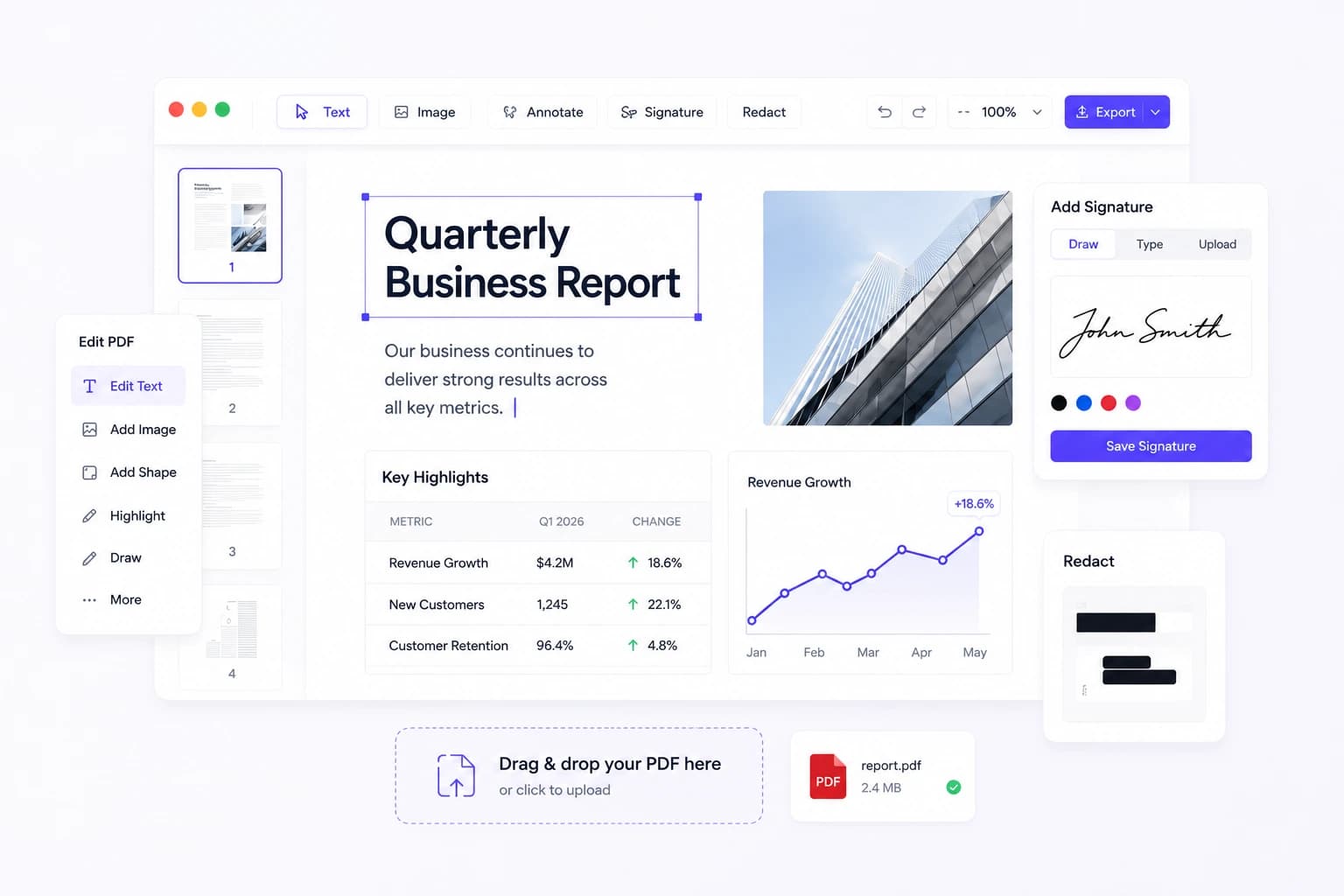
Free Online PDF Editor — Edit Any PDF With Formatting Preserved
Online PDF Edits is a free, browser-based PDF editor that changes text, images, and pages inside the original file instead of converting it to Word and back — so fonts, spacing, columns, and tables outside the part you edit are left exactly as the original file had them. It handles files up to 10 MB and 100 pages, with no signup, no watermark, and no software to install.
Edit PDFs online in seconds without downloading software or creating an account. Make quick changes, add signatures, merge files, and keep your documents organized from any device.
See the editor before you upload
Open a PDF and edit text, redact what should not be shared, drop in an image, or sign it — directly on the original page, with your layout untouched.
onlinepdfedits.com/edit-pdf
Trusted by people who just need it done
Edit, sign, compress, merge, and organize PDF files in one place. Our free online PDF editor works directly in your browser, helping you manage documents quickly without downloads, installations, or complicated steps. Here is what makes it different:
Your file looks the same after editingA lot of editors mess up your spacing, move your text around, or break your layout. With our online PDF editor your formatting stays exactly where you put it. We just edit the words, nothing else.
No account neededYou do not have to sign up, give us your email, or pay anything. Just drop your file and fix what you want.
Your files do not stick aroundOnce you are done, your file is deleted from our system. We are not keeping a copy of your file.
No watermarkSome free editors stamp their logo across your file. With our online PDF editor your PDF stays clean and ready to send to a client, a boss, or anyone else.
Powerful features for perfect editing
Everything you need to edit, organize, and manage your documents like a pro — pick a tool and finish the job in your browser.
Want to see everything in one place? Browse the full PDF Tools page, or jump straight into the online PDF editor to start now.
A Free Online PDF Editor and Toolkit That Keeps Everything Exactly Where It Was
Most PDF editors treat your file like a rough draft. They flatten layers, shuffle your layout, and hand it back looking like something went wrong in translation. For contracts, invoices, and compliance documents, this issue can be costly.
Online PDF Edits are different. You open the file, make your edit, and it looks exactly the way you left it. No broken columns, no shifted text, no surprises. Just the change you needed and nothing else touched. If you have ever searched for a files editor that does not change your file format, this is it. You can also use it as a PDF to editable PDF online free solution when you need to make quick updates without converting your file into another format — start with Edit PDF.
Who Actually Uses This Online PDF Editor
Built for people who edit documents on repeat — here is where fast, precise PDF editing pays off.
OperationsUpdate SOPs, checklists, and vendor forms without waiting on a design cycle.
Sales & AccountsAdjust quotes, proposals, and scope docs before sending to customers.
HR & RecruitingMaintain policy handbooks, hiring packets, and compliance documents.
AgenciesSwap client branding, pricing, and campaign notes across templates.
EducatorsRevise worksheets and training guides without changing familiar layouts.
Legal & FinanceMake controlled edits while keeping structured pages intact.
Why This Approach Is Better Than Basic PDF Converters
Converters work fine when you need to rewrite an entire document, but they are the wrong tool for a quick targeted edit. The typical converter path adds up fast: you export the PDF, convert it to Word, make the change, convert it back, and then spend extra time fixing whatever the conversion broke along the way. For teams working against a deadline, that back and forth is not just annoying, it is expensive.
Editing directly inside the PDF skips all of that. You go straight to the change, make it, and move on — no format switching, no extra QA round, no wondering if the layout survived the round trip.
The Hidden Risks of Converters
Unexpected line breaks and text wrapping that were not there before.
Shifted tables, bullets, and footers that need manual correction after every re-export.
Lost spacing consistency across multi-page documents that takes time to track down and fix.
Direct PDF Editing Advantages
Make smaller, targeted changes without disrupting the layout around them.
Turn around repeat document updates faster because the process never changes.
Send final files with confidence knowing the structure was never touched.
Handle text, images, and positioning all inside a single consistent workflow.
How much of the page changes when you edit a PDF here?
On the invoice Online PDF Edits publishes as its benchmark, editing one line changed 0.02% of the rendered page — a 13-pixel band on the line that was edited. Everything below it, including every row of the table underneath, came back pixel-for-pixel identical.
0.02%of the page’s pixels changed on a one-line edit
399pixels differed, of 2,009,712
0rows of the table below the edit moved
How it was measured: a script renders a real invoice, edits one line through the same pipeline this site runs, renders both files again and compares them pixel by pixel. It refuses to write the images at all if the edit fails or if more than 15% of the page changes, so these numbers are a measurement rather than a marketing figure. Last measured July 2026.
Why editing the PDF directly in place preserves layout, fonts, and tables, while conversion round-trips introduce broken spacing.
Comparison of Direct PDF Editing with Online PDF Edits versus PDF-to-Word Converters and Whiteout Overlay Editors
Feature / Capability
Direct PDF EditingOnline PDF Edits
PDF-to-Word Converters
Overlay / Whiteout Tools
Editing MechanismHow changes are applied to the file
Direct in-place object rewrite. Only modified text runs change.
Converts to Word (DOCX), edits, then re-exports to PDF.
Draws white boxes and overlays new text on top of the original.
Layout & SpacingSurrounding document structure
Anything you do not touch is left as the original file had it, so columns, tables and spacing have nothing to shift for.
Frequent broken tables, misaligned margins, and shifted lines.
Original stays behind, but new text easily drifts out of alignment.
Font HandlingTypography and glyph metrics
Reuses embedded PDF fonts and preserves exact character advances.
Substitutes system fonts during Word round-trip, distorting spacing.
Uses standard web fonts that rarely match the original typeface.
Measured Page DriftPixel-diffed on our sample invoice, one line edited
0.02% of the rendered page changed, confined to a 13-pixel band on the edited line.
Full page reflow; unpredictable shifts across multi-page files.
Original pixels remain, but original text remains searchable underneath.
WatermarksBranding stamped on export
No watermark. Clean, client-ready export.
Often stamps a trial watermark unless upgraded.
Free tiers frequently add logos or page footers.
Account RequirementFriction before editing or downloading
No signup, no email, no credit card required.
Often requires registration to download converted files.
Often gates export behind account creation.
Privacy & StorageHow documents are handled
Processed in memory, never written to disk — there is no store to delete from.
Stored on third-party conversion servers and processing queues.
Retention policies vary; files may be cached in cloud storage.
The short version: direct PDF editing avoids the Word conversion round-trip by rewriting only the text objects you change and inheriting the document’s existing font metrics. On our measured sample, everything outside a 13-pixel band on the edited line rendered pixel-for-pixel unchanged — free, with no watermark.
Your Files Stay Private
Your files are handled only for the purpose of completing the edit you request. They are not stored, shared, or retained longer than necessary to process and return your file.
How We Handle Your Files
Your file is used only to process your edit and is not stored or shared afterward.
Upload validation and clear file size limits keep processing safe and predictable.
Public documentation covers exactly how files are handled from upload to export.
A focused interface reduces the chance of accidental edits before you export.
For policy details, visit the Security and File Handling pages. If you want a full walkthrough of the editing process, the How It Works page covers every step from upload to final export.
Built for Reliability
Why Accuracy Matters Here
A document is only reliable when the process behind it is reliable. When teams are regularly delivering policy updates, client contracts, and proposals, accuracy and transparency are not optional — they are just part of the job. This workflow is designed so that every iteration is clean, consistent, and precisely as expected.
No hidden changesYou see exactly what changes — nothing else is touched.
Secure & privateYour file is processed securely and deleted after your session.
Trust in every outputAccurate results you can rely on, every time.
Every tool on Online PDF Edits is free to use. There are no hidden charges, no premium tiers, and no credit card required.
You do not need to sign up or give us your email. Just upload your file, make your edits, and download.
The editor works directly inside the PDF so your layout, spacing, and formatting stay exactly as they were. Only the parts you change are affected.
Your file is used only to process your edit. Once your session ends, it is deleted from our system. We do not store, share, or retain any file you upload.
Your file comes back clean with no watermark, no branding, and no logo stamped anywhere on the page.
Most standard PDFs work without any issues. Heavily secured or password-locked files may have restrictions depending on the permissions set by the original creator.
You can replace images, move elements around, combine files, compress PDFs, add your sign for PDF documents, encrypt documents, and convert images to PDF, and all that from the same suite of tools.
Everything runs directly in your browser. No downloads, no plugins, no software to set up.
The editor has some alignment and positioning tools to let you correct any spacing or layout problems before you export the final file.
It is designed specifically for teams that work on contracts, proposals, invoices, policy documents, and other file types where formatting precision is a concern.