Redaction vs Masking vs Deletion: What's the Difference?
These three terms get used interchangeably, but they solve different problems — one hides a value reversibly, one removes it permanently, one removes it entirely. Knowing which one you actually need matters for compliance.

"Redact it," "mask it," and "delete it" get used as if they mean the same thing. They don't, and picking the wrong one has real consequences — a masked field can be un-masked by anyone with the right access, while a genuinely redacted one is gone permanently. Here's the actual difference, and when each applies.
Key takeaways
- Masking hides a value reversibly — the original data still exists somewhere and can be revealed again by someone with the right access.
- Redaction removes a value permanently from a specific document, while leaving the rest of the file intact and usable.
- Deletion removes the entire record or file — not just one field, everything.
- A common mistake is treating a black box as "redaction" when it functions like weak masking (or nothing at all) — the value is still fully present in the file, recoverable by anyone, not just someone with special access.
- We tested our own redaction tool directly to confirm it behaves as true redaction: the covered value is gone from the file, not hidden behind a permission layer.
Masking
Masking replaces a value with a placeholder for display purposes while the real data continues to exist in the underlying system. Think of a credit card field shown as **** **** **** 1234 on a receipt — the full number is still stored in the payment processor's database; the mask is just what's rendered to you. Masking is reversible by design: someone with the right access can retrieve or reveal the original value.
Masking is appropriate when: the data needs to exist somewhere for legitimate business reasons (fraud checks, customer support, audit trails), but shouldn't be casually visible on every screen or printout.
Redaction
Redaction permanently removes a specific piece of information from a specific document, while leaving everything else in that document intact. Unlike masking, there's no "reveal" option and no underlying copy preserved anywhere in that file — once redacted and exported, the value is gone from that document specifically.
Redaction is appropriate when: you're sharing or publishing a document that needs to stay otherwise complete and usable, but contains one or more values that must not travel with it — an account number in a rental application, a client's contact details in a public filing, a patient identifier in a de-identified record.
What this looks like in practice
Open your PDF in Online PDF Edits — drop the file onto the upload area, or click Upload PDF.
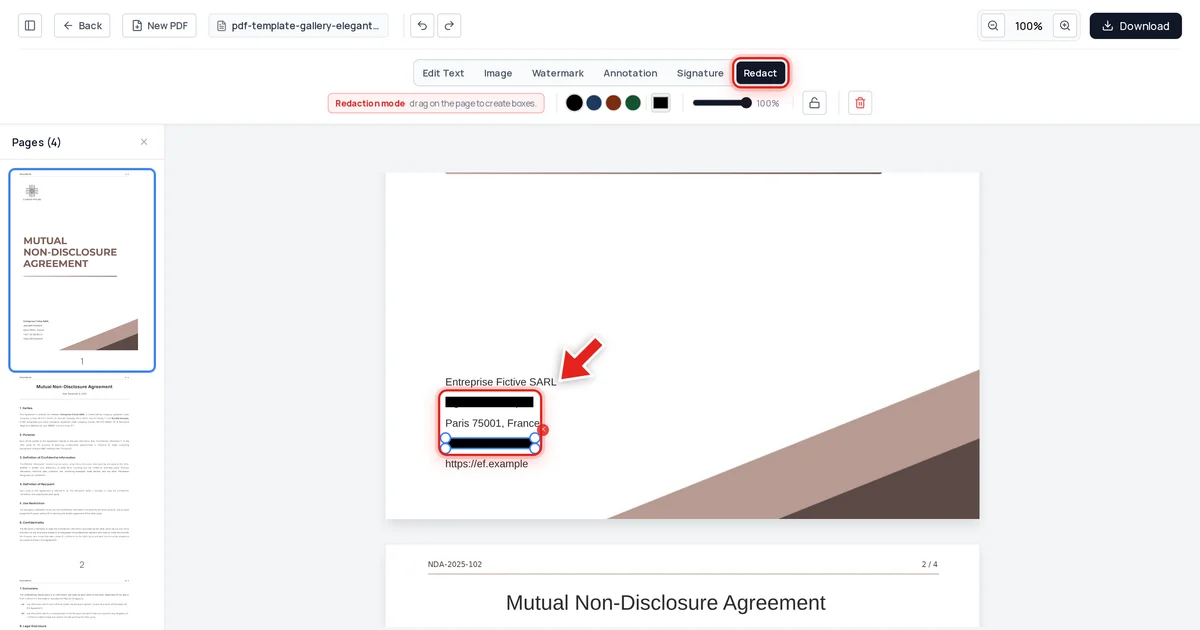
Click the Redact tab in the toolbar:

Then click and drag over the value — a live preview shows the box growing as you go:
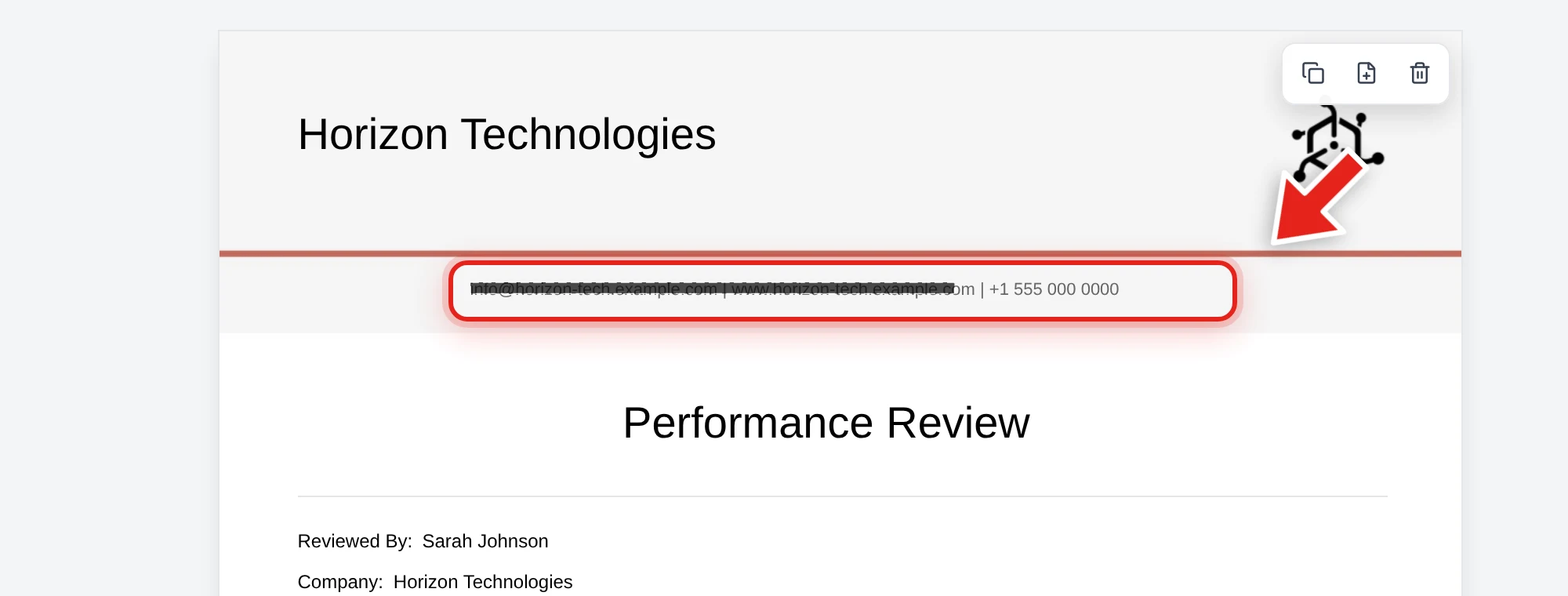
Release the mouse and a solid black bar takes its place.
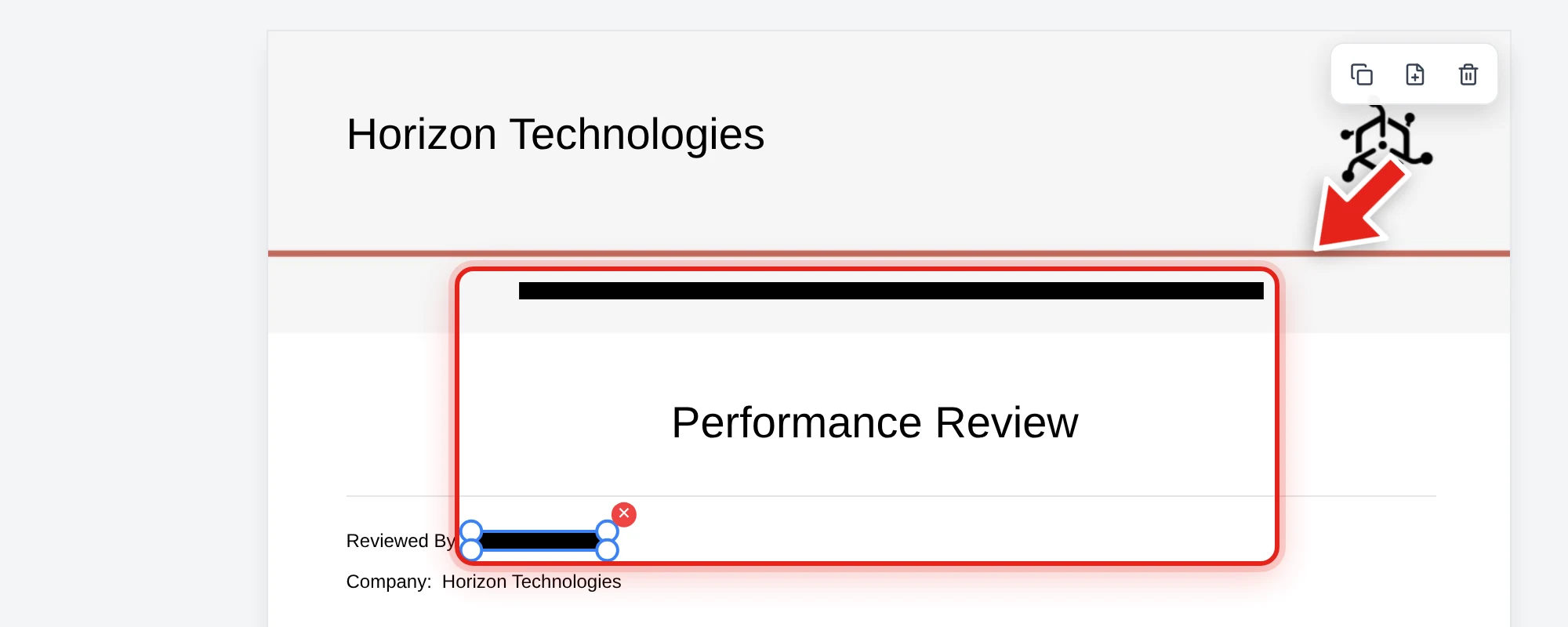
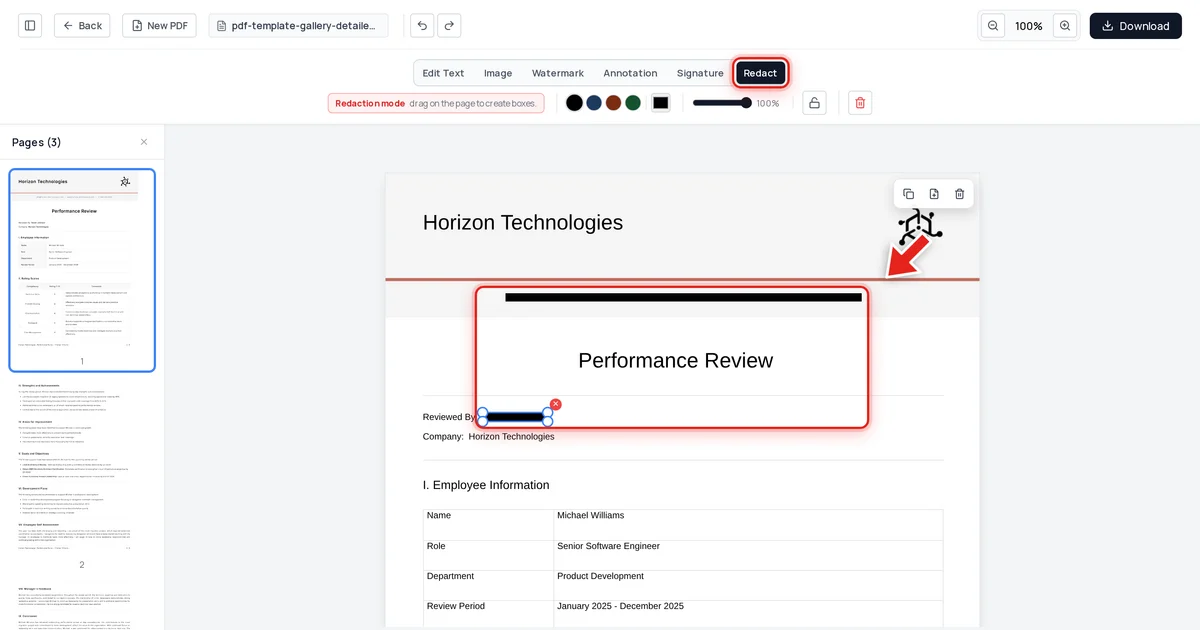
We tested this directly: on the performance review above, we redacted the company's contact email and the reviewer's name, then exported the file and checked three things — extracted text from every page, the raw decompressed file data, and the embedded metadata. Both redacted values were completely absent from all three, while the employee's name (which appears five times through the review) and every other detail stayed exactly as it was, untouched, since it wasn't part of the redaction.
That's true redaction: gone from this file, permanently, with no "unhide" available to anyone — as opposed to masking, where the real value still exists and can be retrieved by someone with the right permissions.
Deletion
Deletion removes an entire record, field, or file — not a value within a larger document. Delete a customer's account and every associated record goes with it (subject to whatever retention rules apply). Deletion is the right tool when nothing about the record needs to be retained; redaction is the right tool when most of a document needs to stay usable but a specific piece has to go.
Choosing the right one
| Need | Use |
|---|---|
| Hide a value from casual view, but keep it retrievable for authorized staff | Masking |
| Remove a value permanently from one document you're sharing or publishing, keep the rest of the document | Redaction |
| Remove an entire record or file with nothing retained | Deletion |
A common compliance mistake is choosing masking when redaction was actually required — for example, believing a ****-style display mask on a shared PDF is sufficient, when the underlying full value is still embedded in the file itself. Masking a display value and redacting a document are different operations solving different problems; check which one your specific requirement (GDPR, a court filing, a DSAR) actually calls for.
FAQ
Is a black box over text the same as masking?
Not quite, and it's often worse. Masking intentionally hides a value while preserving the real one in a controlled, separate location. A black box over PDF text isn't hiding anything in a controlled way — the original text is still sitting in the same file, unprotected, and anyone can copy-paste it out. It fails even the low bar masking sets.
Can a redacted document be un-redacted?
No, not if it was redacted correctly. True redaction removes the value from the file's content on export — there's no reveal function, no hidden copy retained in that document. If you need the original later, you need your own separately kept copy of the un-redacted file.
When should I use masking instead of redaction?
When the underlying value needs to remain accessible to authorized people through the system that manages it — for instance, a customer support tool that shows masked card numbers to agents but lets a supervisor view the full number when needed.
Does GDPR require redaction, masking, or deletion?
It depends on the request. A Subject Access Request typically requires redacting third-party personal data from documents you disclose (see our GDPR redaction guide), while a "right to erasure" request may require deletion of the underlying record entirely. Read the specific request carefully — they're not interchangeable.
How do I confirm my tool does true redaction and not just masking-style hiding?
Export the document and test it yourself: try to select, copy, and search the redacted area. If anything comes back, the value wasn't actually removed — regardless of what the tool calls the feature.