Does Cropping a PDF Delete What You Cropped Out?
Cropping a PDF looks like cutting paper. It isn't. The cropped-away content is still in the file and comes back the moment someone widens the page — here's the proof, and what to use instead.

Cropping a PDF feels like taking scissors to paper. You drag a box, the edges disappear, the page gets smaller. Job done.
It isn't done. Cropping hides content — it doesn't delete it. Everything outside your crop is still sitting in the file, and getting it back takes about ten seconds.
That's fine when you're tidying up scan margins. It's a serious problem if you cropped something out because it was confidential.
Key takeaways
- A crop changes the CropBox — a stored rectangle telling viewers which part of the sheet to show. The content outside it is untouched.
- Anyone can widen the CropBox and see everything again. No password, no special software.
- Crop for appearance: trimming margins, removing scan edges, focusing on a diagram.
- For anything confidential, use true redaction, which removes the data itself.
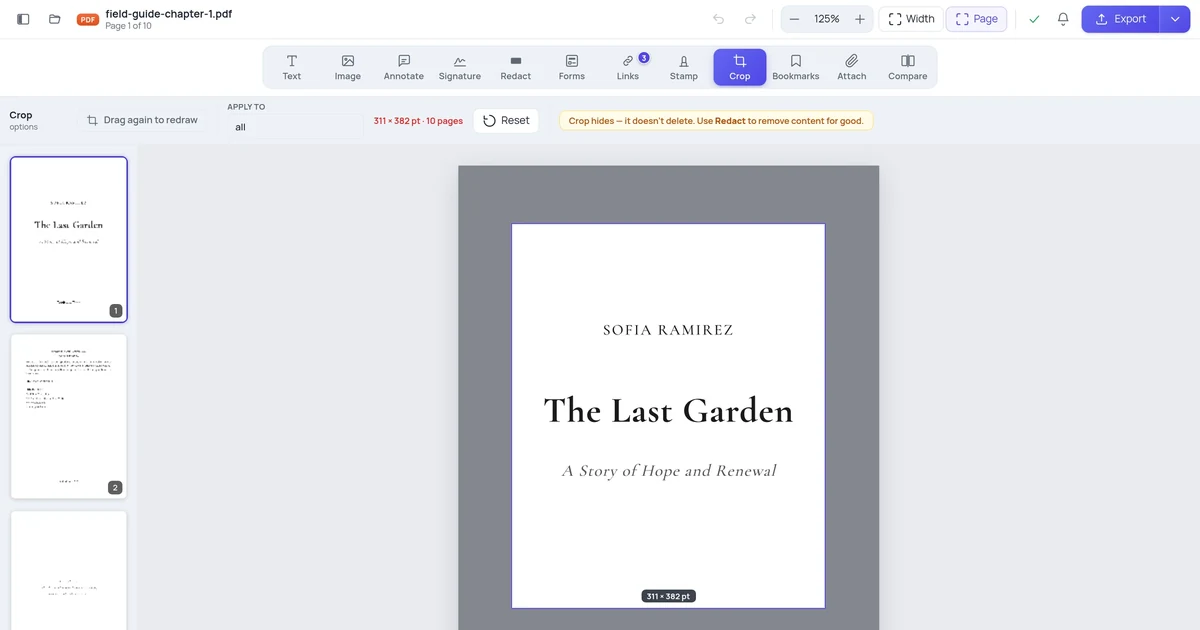
- The editor says this plainly next to the control, because the mistake is so easy to make.
What actually happens when you crop
A PDF page carries several rectangles. The one that matters here is the CropBox: the region a viewer displays. There's also a MediaBox — the full sheet.
When you crop, you set a smaller CropBox. Every viewer obeys it and shows you a smaller page. But:
- The text outside is still in the content stream. It can still be extracted and searched.
- The images outside are still embedded, at full resolution.
- The MediaBox usually doesn't change at all.
So a "cropped" PDF is a full PDF wearing a smaller frame.
Proving it to yourself
Crop a page, export it, then reopen the export and widen the CropBox back to the full sheet. Everything you cropped away is there — same text, same images, same resolution.
We have a test in our own codebase that does exactly this, because it's the behaviour we need to guarantee stays honest: crop it away, widen the box, assert the content is back.
When cropping is the right tool
Plenty of the time:
- Scanned pages with black borders or a strip of the scanner lid.
- Slides printed to PDF with wide margins you don't want to waste paper on.
- A big drawing where you only need one quadrant.
- Consistent trim across a document whose pages came from different sources.
In all of these you're changing what the reader looks at, not hiding anything from them.
How to crop in the browser
Open your PDF in the editor and click Crop.

Drag a box over the part you want to keep. Everything outside dims, so you're judging the result rather than imagining it.
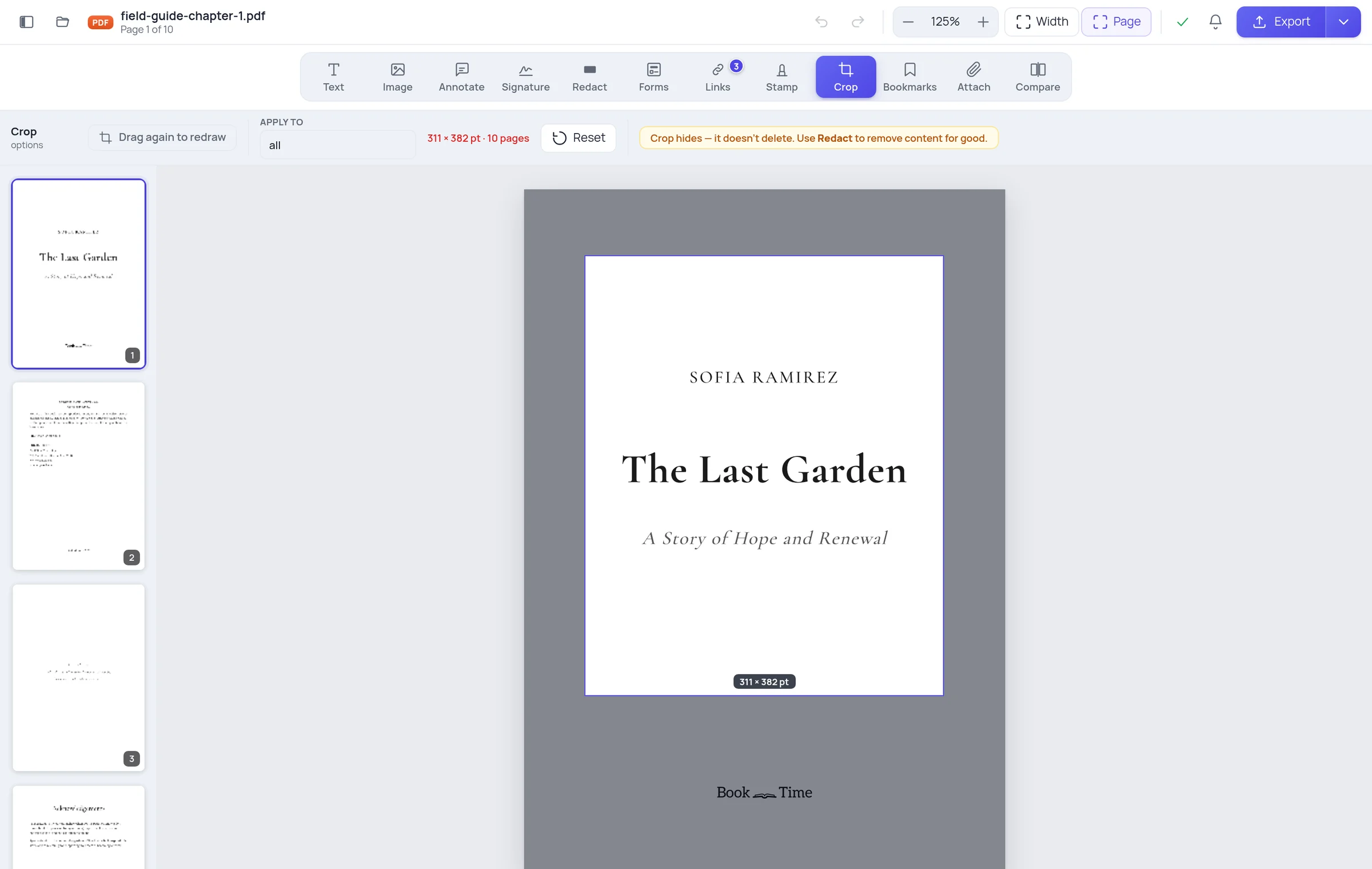
Then choose which pages it applies to — all, odd, even, or a list like 1-3,7. The preview is drawn on every page that will be cropped, so "apply to all" is something you can check rather than hope for.
The crop follows what you actually see. On a rotated page, the top of the page is the top as displayed — not the top of the underlying sheet. On a page that was already cropped, your new box is measured against the visible area, not the original sheet.
The warning next to the control

We put that line in the toolbar deliberately. People reach for Crop to hide things, and a tool that lets you believe you've removed data when you haven't is a tool that leaks documents.
What to use when it must actually be gone
| You want to… | Use | Why |
|---|---|---|
| Trim margins, tidy a scan | Crop | Changes what's displayed; reversible |
| Remove a name, an address, an account number | Redact | Deletes the text from the file |
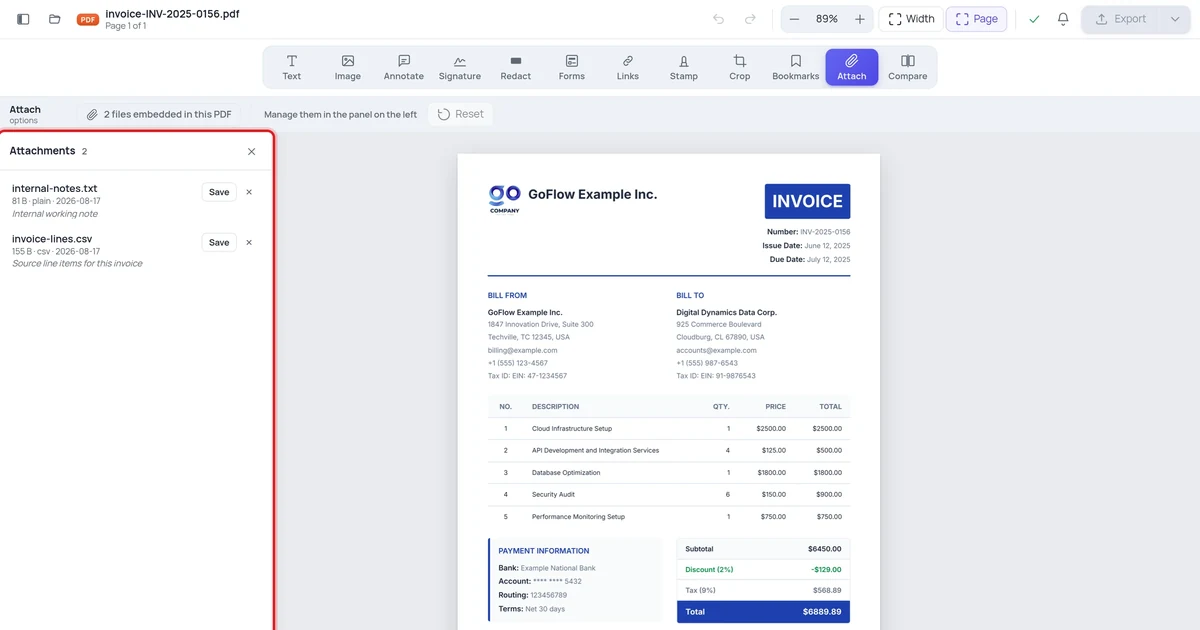
| Remove an embedded file | Attach panel | Deletes the file from the document |
| Remove author/software traces | Metadata tools | Lives outside the page content |
If you have already sent a cropped PDF that was meant to hide something, treat it as disclosed. The recipient has the full content whether they know it or not.
Frequently asked questions
Will cropping reduce the file size? Barely. The hidden content is still stored, so the file stays about the same size. If size is the goal, compress it.
Does cropping reduce quality? No. Nothing is re-encoded; only the visible region changes.
Can I un-crop a PDF I cropped? Yes — that's the whole point of this article. Widen the CropBox and everything returns.
Does the crop apply to every page automatically? Only if you ask it to. One rectangle is applied to the page range you choose, clamped to each page so it never runs off the paper.