Smallpdf vs OnlinePDFEdits for PDF Redaction: Which Truly Removes Data?
Both tools let you draw a box over sensitive text. The question that actually matters is what happens to that text when you export — here's how to check, on either tool, before you trust the result.

Smallpdf offers a redaction feature, and so do we — but "has a redaction button" isn't the same claim as "permanently removes the data." Here's an honest comparison, and more importantly, the exact test you can run on either tool's output to check for yourself.
Key takeaways
- Smallpdf's free tier caps usage at roughly 2 tasks per day; Online PDF Edits has no such cap and no sign-up requirement.
- Smallpdf's redaction is manual — you draw the box yourself, same as most tools in this space, including ours.
- The question that decides whether redaction actually worked is not which brand you used — it's whether the exported file still contains the covered text.
- We tested our own export directly: redacted content was absent from the extracted text, the raw file data, and the metadata.
- Run the same test on any Smallpdf export before trusting it — the check takes under a minute regardless of which tool produced the file.
What both tools do
Smallpdf and Online PDF Edits both let you draw a box over sensitive content in a PDF and export the result. Neither does AI-driven automatic detection of sensitive data (that's a feature category — see our look at automatic AI redaction — that a small number of enterprise tools charge extra for). Both are "select it yourself" tools at their core.
Where they differ in practice
Free tier limits. Smallpdf's free plan caps usage at around 2 tasks per day, after which you either wait or subscribe. Online PDF Edits has no daily cap and no account requirement — upload, redact, export, repeat, with nothing standing between you and the next document.
Where the file goes. Smallpdf processes files through their servers, same as most online PDF tools including this one — this isn't a device-local operation. What matters for your privacy is what happens to the file afterward, not whether it briefly leaves your device; check any tool's retention and deletion policy directly if this concerns you.
Watermarking and account requirements. Some free online tools apply a watermark or require an account before you can download; Online PDF Edits does neither.
The comparison that actually matters: does the export hold up?
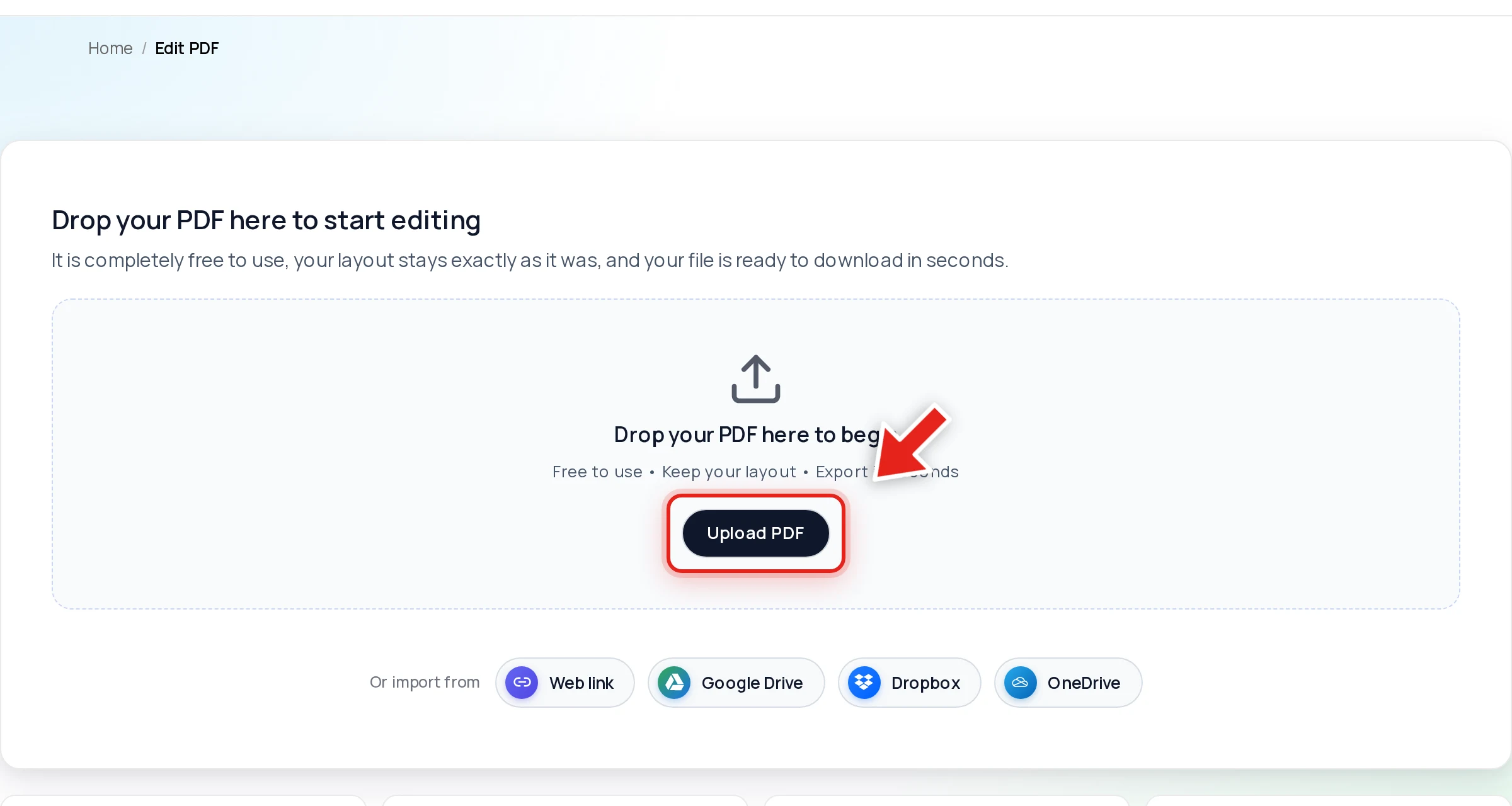
Marketing copy for a redaction feature is easy to write. What's harder — and what we did — is testing the actual output. Open a PDF in Online PDF Edits — drop the file onto the upload area, or click Upload PDF.
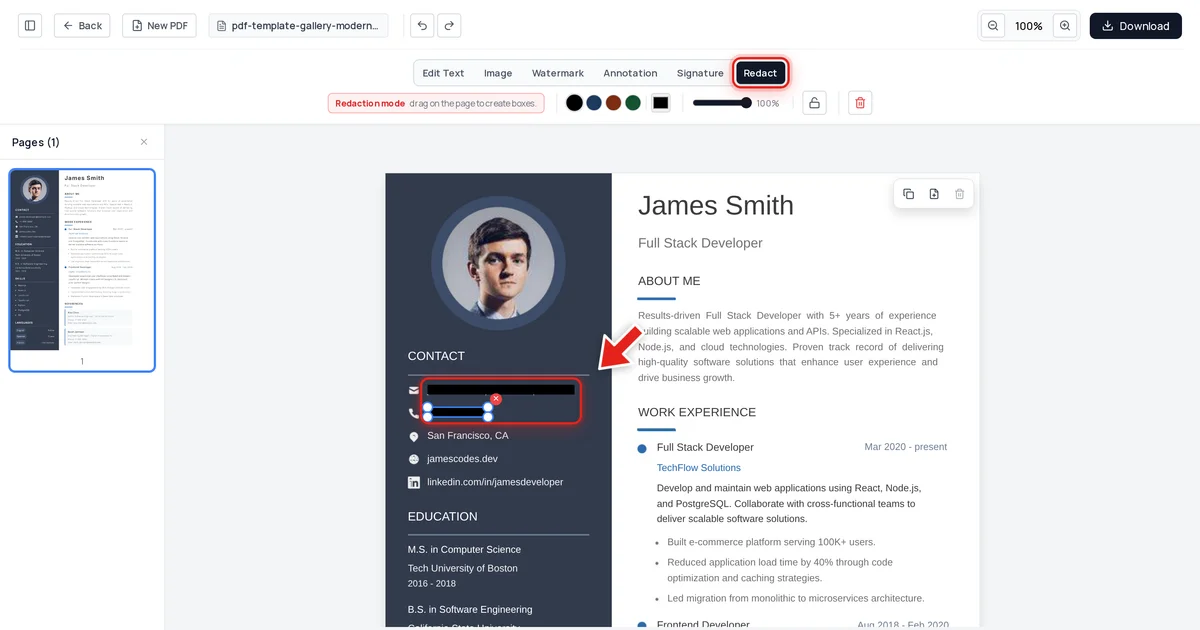
Click the Redact tab in the toolbar:

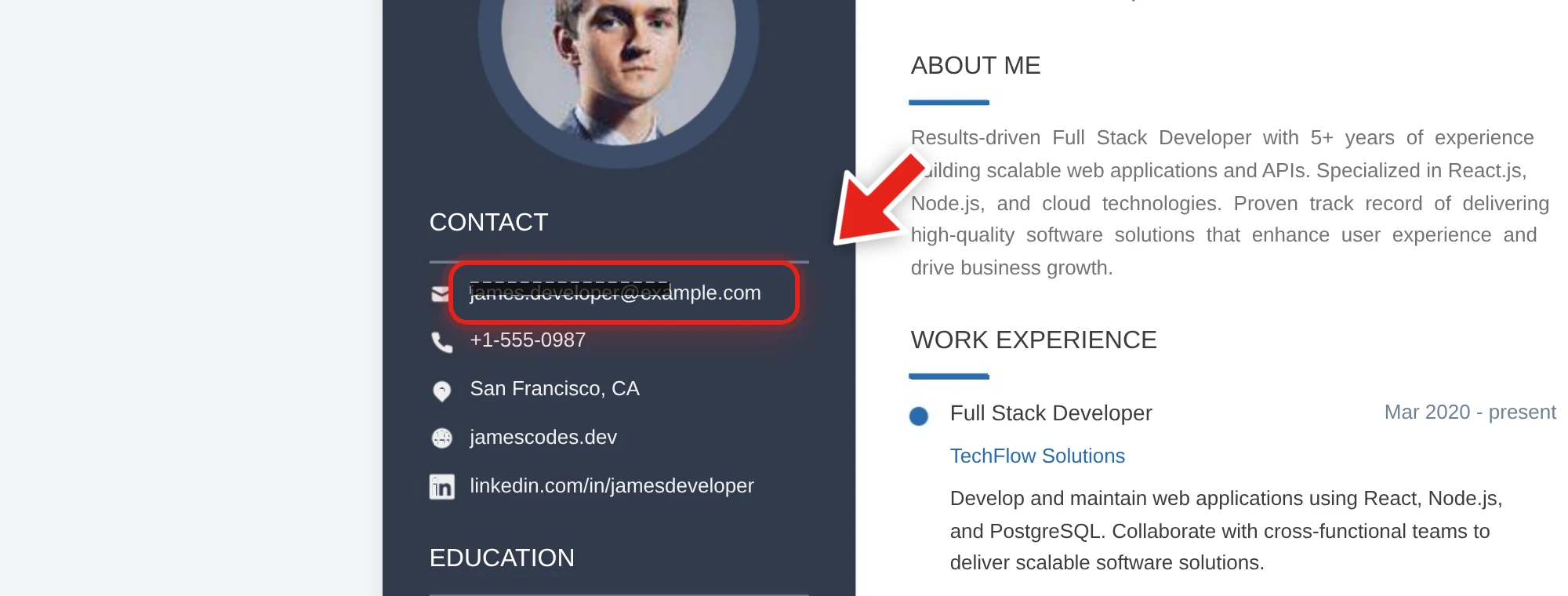
On the resume below, we redacted the candidate's email and phone number. A live preview shows the box growing as you drag:
Release the mouse and a solid black bar takes its place.
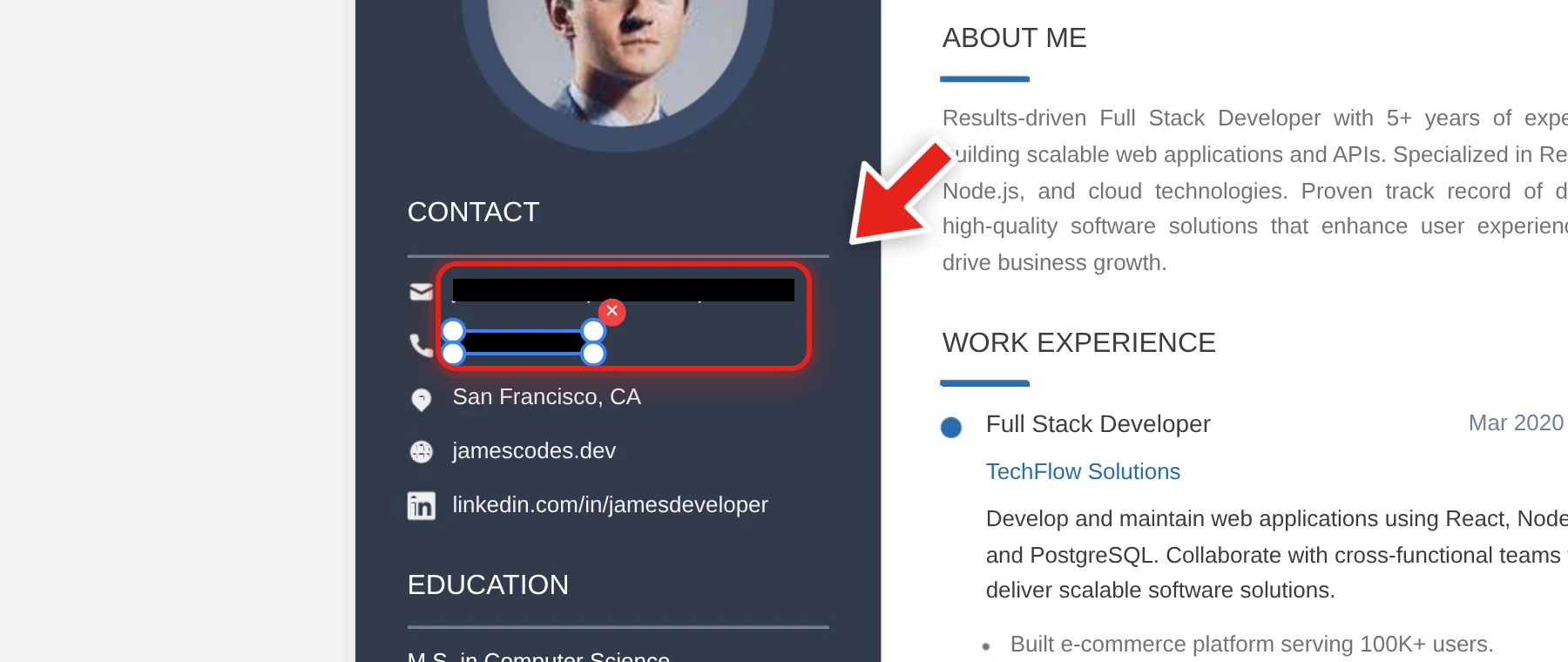
After exporting, we checked the result three ways: extracted every line of text from the document, searched the raw decompressed file data, and inspected the embedded metadata. Both redacted values were completely absent from all three, while the candidate's name and the rest of the resume remained untouched.
We're not in a position to run that same test on Smallpdf's export and publish results about a competitor's product — but you are, on your own files, in under a minute. That's the actual comparison worth making, regardless of which tool's name is on the button.
The test to run on any redaction tool's output
- Export the redacted file.
- Click-drag select the area covered by the black box.
- Copy it and paste into a plain text editor.
- Also try Ctrl+F and search for a word you expect to be hidden.
Nothing pasting and nothing found means it passed. This works identically on a Smallpdf export, an Online PDF Edits export, or output from any other tool — see our full verification guide for more detail on why each check matters.
FAQ
Does Smallpdf's redaction actually remove text, or just cover it?
We can't verify a competitor's product directly, and we won't make unverified claims about it. Run the copy-paste and search test described above on any Smallpdf export before trusting it — that test is the actual answer, regardless of the brand.
Is Online PDF Edits' redaction free like Smallpdf's?
Yes, and without Smallpdf's roughly 2-task-per-day free tier cap or an account requirement.
Which tool is more private?
Both process files server-side rather than fully on-device — check either tool's stated retention and deletion policy if that's your primary concern, rather than assuming one is inherently safer without checking.
Do I need to create an account for either tool?
Online PDF Edits requires no account. Check Smallpdf's current requirements directly, as free-tier terms change.
What's the one thing I should check before trusting any redacted PDF?
Whether the export actually removed the covered content. Run the copy-paste and search test yourself — it's the only verification that matters, independent of which tool produced the file.