Attendee detail fields
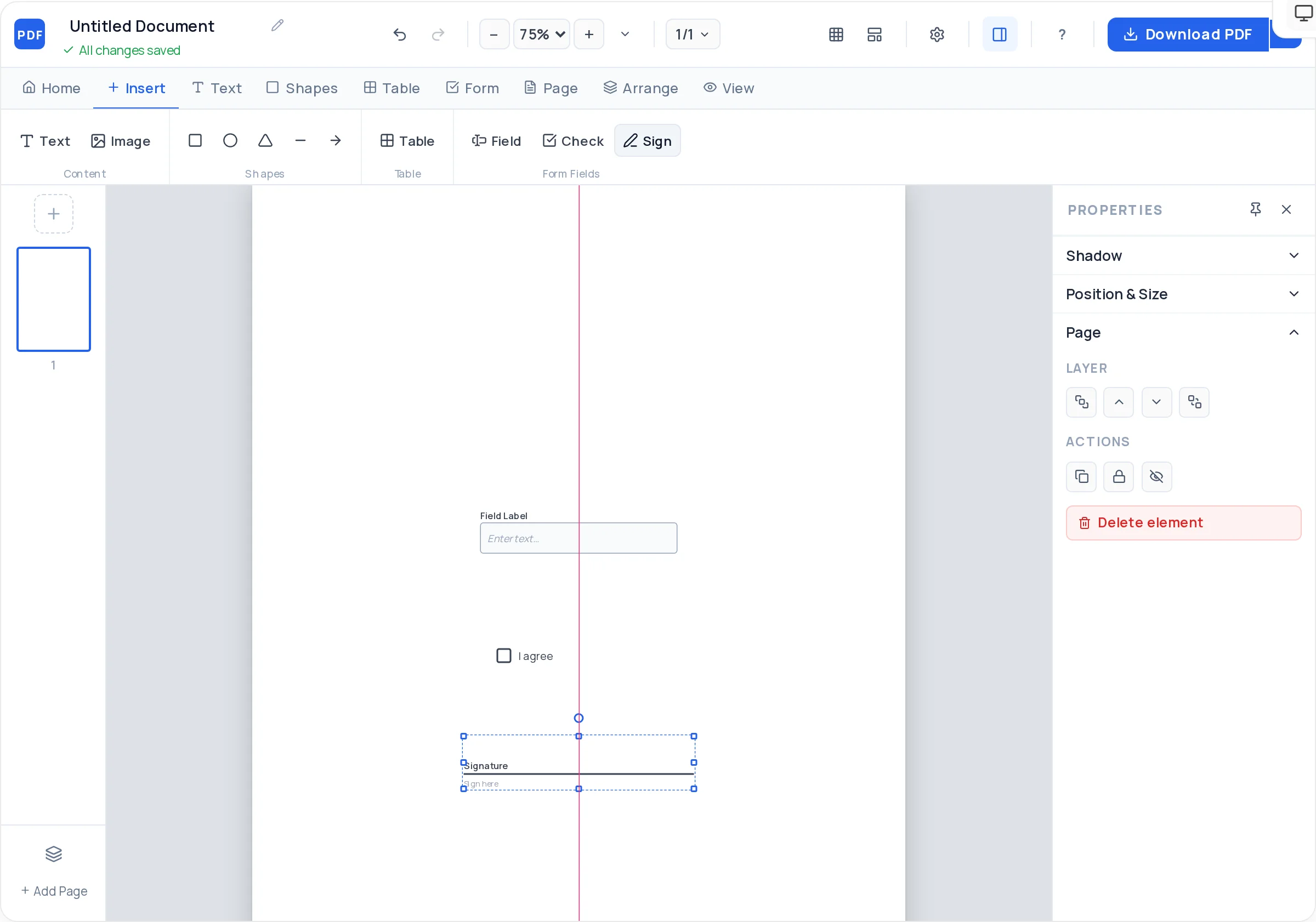
Required text fields for name, email, and phone with placeholder hints, so incomplete registrations are obvious at a glance.

Registration Forms
A registration form PDF collects one attendee's details on a single tidy page: who they are, how to reach them, which option they are registering for, and their consent. Because it is a create editable pdf workflow — real fields, not printed lines — the same file works emailed and typed into on screen, or printed and filled at a front desk.
The essentials are always the same four blocks: participant details (name, email, phone), the selection (session, course level, membership tier — a labeled checkbox per option), any medical or emergency-contact box for youth and sports events, and a consent line with a signature field. Build each block as its own boxed section and the form practically fills itself.
The maker runs free in your browser with nothing to install and no branding stamped on your export. Duplicate the page to hand out a per-attendee stack, or keep one master file and let each registrant type into their own copy.
Required text fields for name, email, and phone with placeholder hints, so incomplete registrations are obvious at a glance.
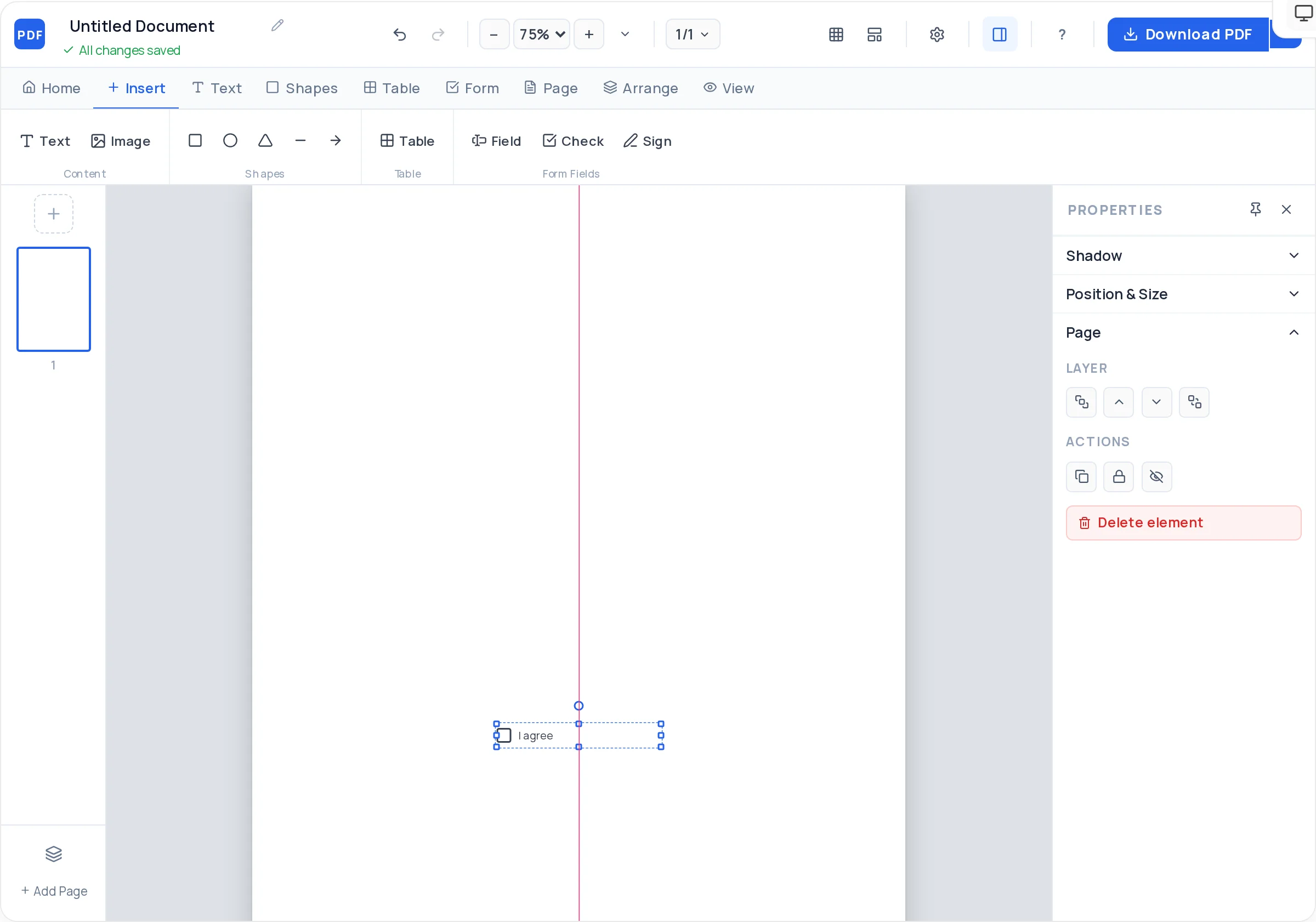
One checkbox per session, course level, T-shirt size, or membership tier — registrants tick their choice on screen or on paper.
A consent statement with a real signature field and date line — essential for waivers, photo permission, and youth events.
Drop your event or club logo into the header, add a colored banner rectangle, and set the page background to match your brand.
Duplicate a finished page per session or per day, then reorder — one file covers a whole program without re-layout.
Crisp vector PDF with working fields, no watermark — attach it to your announcement email and registrations come back filled.
Place your logo and event name at the top, with the date and venue in a smaller line underneath.
Box a "Participant details" section with fields for full name, email, phone, and date of birth if age matters.
Add a checkbox per selectable option — workshop A/B/C, beginner/intermediate, single/family membership — with a short label each.
For sports, camps, and youth events, add an emergency-contact field and a taller box for medical notes.
Write the consent statement, place a checkbox beside it, and finish with a signature field and date.
Download the PDF, test-fill it once, then email it to your list or print a stack for the registration desk.
Resist "attendee 1 / attendee 2" rows. Single-registrant forms are easier to file, count, and check off — duplicate the page instead.
Print "Return by <date> to <email>" directly under the title. Forms get forwarded, and instructions in the email get lost.
Ask for date of birth, not age — it stays correct after the form sits in an inbox for three weeks.
Write "☐ Saturday session (9:00–12:00)" not "☐ Option 1". Paper copies get separated from the covering email.
A registration form that spills to page two loses signatures. Tighten spacing and cut nice-to-have questions before adding a page.
They fill the PDF in any reader, save it, and email it back — or hand in a printed copy. There is no online submission backend, which keeps the whole flow as simple as one attachment each way.
Yes — add one checkbox per option with a clear standalone label. Dropdowns and radio buttons are not available, but an instruction like "tick ONE session" on a checkbox group does the same job.
Yes. Put the waiver text in a text block, add a "I have read and agree" checkbox, and place a signature field plus date line under it. Recipients can sign on screen in Adobe Reader or by hand on paper.
Completely — free and unlimited with no watermark on the export, so it suits one-off events and clubs that re-issue forms every season alike.
Build day one, then duplicate the page for each day or session and edit the headings. Page duplication preserves your section layout exactly, so the whole packet stays consistent.
Participant name and contact, the course/level selection, billing or payment-reference line if fees apply, emergency contact for in-person courses, and a signed consent line. Skip anything you will not actually use.
Yes — the exported fields are standard AcroForm fields that work in the Adobe Acrobat Reader mobile app and most built-in mobile PDF viewers. Keep fields at least 28px tall so they are comfortable to tap.
All of these open the same free online PDF creator — each guide covers what makes that document work.
Create a fillable PDF anyone can type into
Design a PDF form from a blank page
Create a Fillable Job Application Form PDF
Create a survey PDF with rating rows and comment boxes
Create a Certificate PDF Online
No signup, no watermark, nothing to install — design your document and download a clean, print-ready PDF in minutes.
Create your registration form — free