Fast Online PDF Editor: Edit PDFs in Seconds Without Lag
Bypass sluggish upload queues, compulsory account registration, and surprise subscription paywalls. Learn how to edit PDF documents online at maximum speed.
You need to fix a typo on a PDF contract or update an invoice figure, and you have two minutes before a meeting. You search for a fast online PDF editor, pick a top result, and drop your file in.
Instead of an instant edit, you watch a progress spinner crawl across the screen. You make the change, click download, and suddenly hit a roadblock: a mandatory registration form, an email confirmation gate, or a paywall demanding $10 every four weeks before releasing your modified document.
A task that should take twenty seconds ends up taking ten minutes of frustrating troubleshooting.
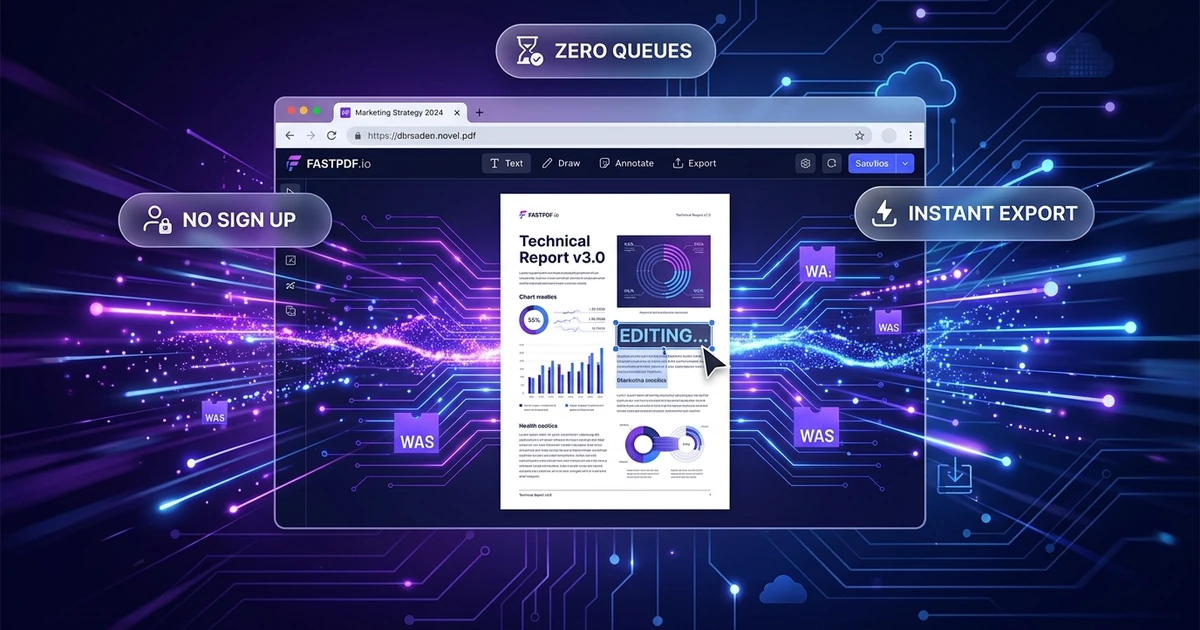
The Quick Answer: Yes, you can edit PDF files online fast without account creation, upload lag, or hidden export paywalls. Navigate directly to the Online PDF Editor, drag your document into the browser workspace, click the text you wish to modify, and download the finished PDF immediately. In-browser rendering ensures the workspace opens in under two seconds with zero server queue delays.
⚡ Open the Fast Online PDF Editor
Skip the queue and edit your PDF directly in your browser:
👉 Launch Online PDF Editor (No Sign-Up Required) →
Zero Upload Queues · No Registration · Instant Local Export
Why Most "Fast" Online PDF Editors Are Actually Slow
When web tools market themselves as "fast," they usually mean their marketing landing page loads quickly. The document editing workflow itself is frequently bogged down by architectural bottlenecks and aggressive monetization funnels.
1. Heavy Server-Side Rendering Queues
Traditional PDF portals upload your entire document to an external processing server. That server parses the PDF, renders each page into static images, and sends those raster previews back to your browser. If thousands of users are using the service simultaneously, your file waits in a background processing queue.
2. The Compulsory Sign-Up Friction
Nothing slows down an urgent task like account creation. Entering an email, solving a CAPTCHA, checking an inbox for an activation link, and setting a password adds several minutes of unnecessary friction.
3. The Download Paywall Trap
Certain commercial tools (such as PDF House) advertise fast online document modification, but gate the download button behind recurring subscription plans (such as $10 every 4 weeks). Discovering a billing requirement only after completing your edits wastes all the time you just invested.
4. Bloated Tracking and Ad Scripts
Many ad-supported PDF utilities load dozens of third-party tracking scripts, real-time analytics collectors, and display ad banners. These scripts hog your browser's main thread, causing cursor stutter, slow typing response, and unresponsive toolbars.
The Technology Behind True In-Browser Speed
Modern web standards allow document manipulation to run directly within the client browser using WebAssembly (WASM) and hardware-accelerated canvas rendering.
Traditional Slow Workflow:
[User Upload] ➔ [Network Transfer] ➔ [Server Queue] ➔ [Rasterization] ➔ [Preview Transfer] ➔ [Edit] ➔ [Server Re-render] ➔ [Download]

Modern Fast Workflow:
[Local File Drop] ➔ [In-Memory WASM Engine] ➔ [Instant Vector Render] ➔ [Direct Edit] ➔ [Instant Local Export]
By keeping the document parsing inside your local browser memory:
- Zero Queue Latency: Your document does not wait behind other users' jobs.
- Instant Type-Ahead: Modifying a word re-renders the text box in milliseconds, matching native desktop performance.
- Bandwidth Preservation: You do not upload and re-download multiple megabytes of rendered page images over mobile or constrained network connections.
How to Edit a PDF Fast Online (Step-by-Step)
Follow this streamlined 4-step workflow to complete your document changes in under sixty seconds.
Step 1: Drop Your Document into the Editor
Open the Online PDF Editor. Drag your PDF directly onto the canvas or click to browse. The document initializes immediately in your browser tab without requiring an account or email address.
Step 2: Select and Update the Text
Click directly on the sentence or value you need to adjust. The editor identifies the bounding box, detects the underlying font size and alignment, and enables an inline editing cursor. Type your corrections immediately.
(Need to remove unnecessary pages before sharing? Use the Delete PDF Pages tool to strip blank or redundant sheets in one click).
Step 3: Insert Signatures or Visual Callouts
If your document requires authorization, click the Signature tool. Draw your signature with a trackpad or mouse, or upload a signature image, and position it directly onto the signature block.
Step 4: Export Instantly
Click Save & Download. The revised PDF compiles instantly from memory to your computer's downloads folder. The exported document contains zero promotional watermarks, zero quality downscaling, and zero unexpected subscription prompts.
(If the modified document needs to be emailed under strict file size attachments, run it through the Compress PDF tool to reduce file weight without degrading legibility).
Performance Comparison: Fast In-Browser Editing vs. Competitors
The following benchmark comparison illustrates the time and friction required to correct a single typo across popular online PDF platforms:
| Feature & Workflow Benchmark | Online PDF Edits | PDF House | TheBestPDF | Adobe Acrobat Online | Smallpdf |
|---|---|---|---|---|---|
| Time to First Edit | < 3 seconds | ~15 seconds | ~12 seconds | ~20 seconds | ~15 seconds |
| Account Required to Download? | ❌ No (Zero sign-up) | ⚠️ Yes / Paywalled | ⚠️ Required for full exports | ⚠️ Yes (Adobe ID required) | ⚠️ Yes (Free tier gated) |
| Download Paywall / Catch? | ❌ 100% Free | ⚠️ $10 every 4 weeks | ⚠️ Freemium limits | ⚠️ Subscription trial | ⚠️ Daily task limit (1-2/day) |
| Rendering Engine | Client-side WASM | Server queue | Mixed web app | Cloud Document Service | Cloud processing |
| Watermark Added on Export? | ❌ Never | ❌ None | ⚠️ On certain features | ❌ None | ⚠️ Free exports limited |
| File Privacy Architecture | In-memory ephemeral | Cloud storage | Cloud storage | Adobe Document Cloud | Cloud storage (timed purge) |
Practical Tips for Maximum PDF Editing Speed
- Keep Source Files Vector-Based: Native digital PDFs (exported from Word, Google Docs, or InDesign) load and edit substantially faster than scanned paper documents because vector text characters are already indexed.
- Combine Operations in One Session: If you need to edit text, reorder pages, and sign, do all three actions within the active session rather than downloading and re-uploading between different utilities.
- Check File Limits Beforehand: Standard single-task tools handle documents up to 100 pages smoothly. If your document is an immense 500-page scanned manual, consider splitting the relevant section first using the Split PDF tool to ensure swift browser responsiveness.
Open the Tool and Start Editing
Skip complex desktop installations, recurring subscriptions, and forced account creation. Access our suite of browser-based document tools instantly:
- 👉 Launch Online PDF Editor Tool — Modify existing text, insert signatures, and add annotations with zero lag.
- 👉 Launch Compress PDF Tool — Reduce file size for instant email attachments without blurring text.
- 👉 Launch Split PDF Tool — Separate large manuals into targeted chapters in seconds.
Frequently Asked Questions
Can I edit a PDF online fast without creating an account?
Yes. Open the Online PDF Editor, upload your PDF, make your text adjustments, and click Download. The entire workflow operates in your browser with zero sign-up forms, email verifications, or passwords.
Why do some online PDF editors take so long to process files?
Most online PDF portals route your document to remote server clusters that convert pages into images before presenting an interactive canvas. When server traffic is high, your document sits in an execution queue. Tools using client-side WebAssembly avoid this delay by processing everything locally on your device.
Is it possible to edit PDF text quickly on a mobile phone?
Yes. Open the browser editor on iOS Safari or Android Chrome, select the document from your files app, and tap on the target text to type. For long contracts with complex formatting, a laptop or desktop trackpad provides greater precision, but emergency edits work directly on mobile without app downloads.
Does a fast online editor add watermarks to my document?
No. High-quality in-browser editors compile the original PDF structure and save your edits cleanly without stamping promotional watermarks, logos, or trial banners on your pages.
How do I edit a PDF fast if the document is a scanned image?
If the document is a scanned photograph or photocopy, the text consists of flattened pixels rather than selectable characters. In this scenario, use the Whiteout or Shape tool to cover the outdated text block, select the Text tool to type the updated content over the area, and export immediately.