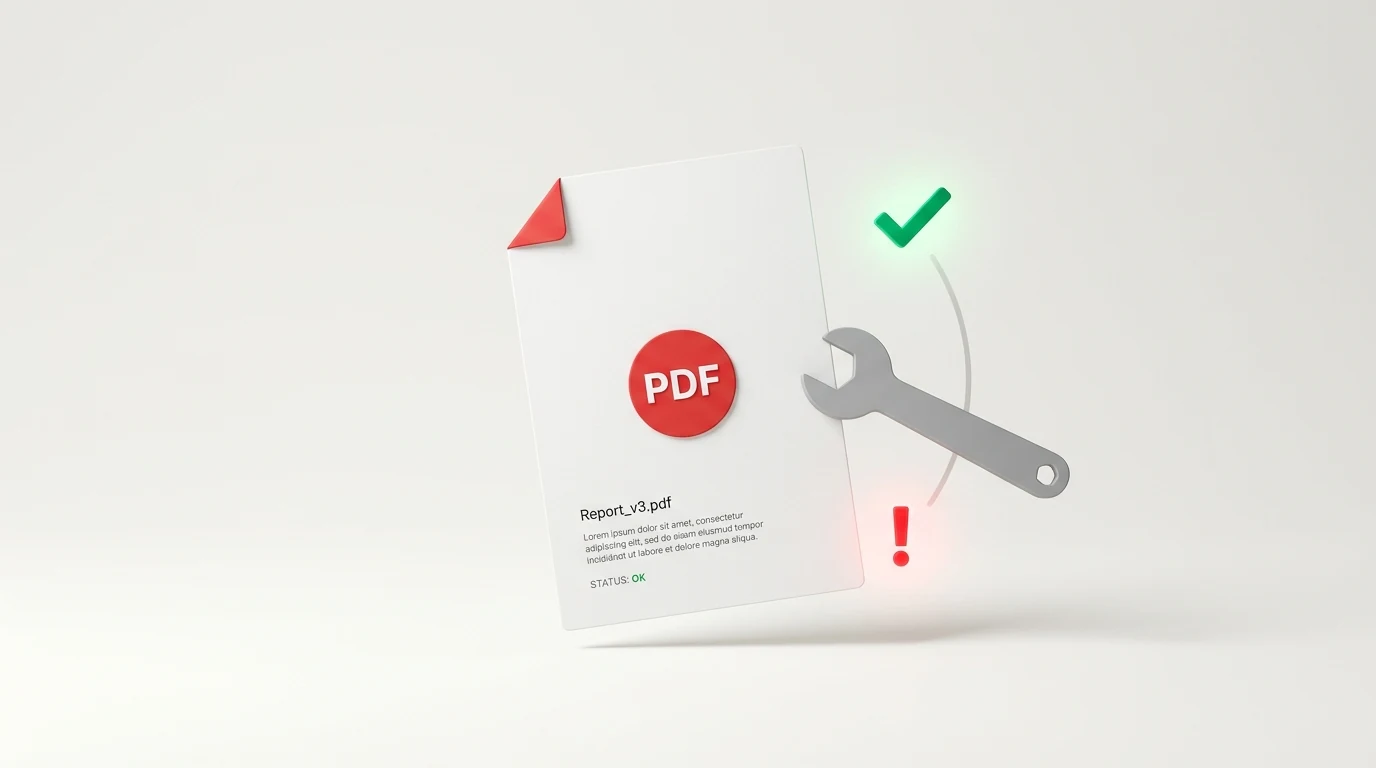
How to Troubleshoot and Fix PDF Errors Online for Free
A practical guide to diagnosing and fixing broken, corrupted, or uneditable PDFs online for free, with honest comparisons of iLovePDF, Smallpdf, and Adobe.
When a PDF refuses to open, locks your edits, freezes your browser editor, or distorts your typography, the root cause usually comes down to three underlying issues: corrupted internal syntax (broken cross-reference tables), missing font subset embeddings, or client-side canvas memory exhaustion.
You do not need an expensive Adobe Acrobat Pro subscription ($239.88/year) or desktop diagnostic software to resolve most document failures. This guide provides a systematic, 4-step diagnostic workflow to troubleshoot PDF online free, fix common web editor crashes, repair damaged file streams, and restore full editing functionality without paying subscription fees or surrendering your personal data.
Quick Diagnostic: What Is Wrong With Your PDF?
Use this symptom-to-solution matrix to identify your issue and jump directly to the verified fix:
| Observed Symptom | Underlying Root Cause | Instant Fix | Primary Tool / Method |
|---|---|---|---|
| Editor crashes or freezes on upload | Complex vector path overhead (>50k objects) or memory leak | Sanitize canvas DOM & rebuild stream | Web Assembly Sandbox / Online PDF Editor |
| "Damaged file" or "Corrupted PDF" error | Truncated trailer dictionary or broken xref table | Rebuild cross-reference table | Re-index file with Ghostscript/pikepdf or iLovePDF Alternative |
| Cannot select or edit text | Scanned raster image without OCR layer, or Owner Password permission lock | Inspect object tree or run OCR layer | PDF Object Explorer |
| Fonts change or turn into garbage symbols | Non-embedded proprietary font subsets (Type 1 / TrueType) | Validate font embedding status | PDF Font Checker |
| Save button spins indefinitely | CORS failure or uncompressed base64 JSON payload blowout | Direct streaming export | Client-side memory flush |
Why Are PDFs So Difficult to Edit?
To successfully troubleshoot a PDF, you must first understand what a PDF actually is.
Unlike Microsoft Word documents (.docx), which are reflowable semantic text files (paragraphs, spans, tables), a PDF is essentially a compiled, fixed-coordinate printing specification developed from PostScript (standardized as ISO 32000).
When you look at a PDF, the document does not view words as sentences. It views characters as disconnected glyphs placed at fixed Cartesian coordinates (e.g., BT /F1 12 Tf 72 712 Td (Invoice) Tj ET—meaning: "Select Font 1 at 12pt, move to coordinates X=72 Y=712, and draw the glyphs for 'Invoice'").
PDF editing tools struggle because of three common architectural friction points:
- No Reflow Architecture: If you insert a 12-letter word into a line, the PDF format does not automatically push subsequent words forward. An editor must calculate character advance widths manually.
- Embedded Font Subsets: To keep file sizes small, PDFs rarely embed an entire font library. If a document only uses the letters A, B, C, the font file embedded in the PDF only contains glyph data for those three characters. Typing the letter Z causes the editor to either fail or substitute an mismatched system font.
- Cross-Reference Table (xref) Fragility: Every object in a PDF (images, font descriptors, pages, content streams) is indexed in an exact byte-offset cross-reference table. If an untrusted editor saves the file with an incorrect byte count, the entire document becomes "corrupted" and unreadable by standard viewers.
How to Troubleshoot a PDF in 4 Steps
If your PDF throws errors or behaves abnormally, follow this diagnostic sequence to isolate whether the issue lies in the document structure, the browser environment, or the editor application.
[ Upload PDF ]
      │
      ▼
1. Structure Check ─── (Broken trailer/xref?) ────► Rebuild with Parser (Ghostscript/pikepdf)
      │
      ▼ (Valid)
2. Content Layer ───── (Pure raster scan?) ───────► Apply OCR or Overlay Text
      │
      ▼ (Real Vector Text)
3. Font Subset ─────── (Missing glyph definitions?)► Embed Fallback Font or Check with Font Inspector
      │
      ▼ (Embedded)
4. Editor Engine ───── (Browser memory/DOM drop?) ─► Switch to High-Memory Canvas / Direct Vector Tool
Step 1: Check PDF File Integrity and Error Logs
Before attempting heavy modifications, check whether the file's internal dictionary is intact.
- Open your browser's Developer Tools (
F12on Windows/Linux orCmd + Option + Ion Mac) and click the Console tab. - Upload your PDF to your online editor. If you see errors like:
PDF.js: Invalid xref streamFormatError: Bad Fused dictionaryMissing endstream or corrupted stream length
- Diagnosis: The file has syntax corruption in its byte-offset table. Proceed to the "How to Repair a Corrupted PDF File" section below.
Step 2: Determine if Text Is Real or Scanned
Many users believe their PDF editor is broken because clicking text creates a blue selection box over the entire page instead of placing a cursor inside a word.
- The Test: Press
Ctrl + F(orCmd + Fon Mac) inside any browser tab viewing the PDF and search for a prominent word on the page. - Result: If the browser finds 0 results, the page is a flat raster photograph (scanned document). An editor cannot edit raster text without an OCR (Optical Character Recognition) pass.
Step 3: Inspect Font Subsetting
If you can select text, but editing it causes text to vanish, shift into wingdings/rectangles, or lose spacing, inspect the document's embedded fonts.
- Navigate to the
PDF Font Checker. - Drop your PDF into the tool. It reads the
/Fontdictionary and flags whether each font is Fully Embedded, Subset Embedded, or System Dependent. - If the font is subset-embedded without an encoding table (
/ToUnicodeCMap missing), editing the line will require replacing the entire text line with an exact-matched standard web font.
Step 4: Isolate Client-Side Editor Memory Limits
When web-based PDF editors lock up, freeze on "Processing...", or fail to save, the culprit is often browser heap memory limits.
- Web editors render PDFs by converting PDF vector operators into HTML5
<canvas>elements. A 50-page document rendered at high DPI (e.g., 200–300 DPI for sharp screen rendering) can allocate over 1.5 GB of browser memory. - If your computer has low RAM or multiple browser tabs open, the browser's JavaScript sandbox runs out of memory (OOM crash) and silently halts execution.
Why Is My PDF Editor Not Working? (Troubleshooting PDF Editor Failures)
If you are using a web-based PDF editor and encounter sudden bugs, check these four common technical triggers:
1. Browser Extension Conflicts (Ad Blockers & Script Blockers)
Aggressive privacy extensions (such as uBlock Origin, Privacy Badger, or Brave Shields) often block WebAssembly (.wasm) binary files or blob URLs (blob:https://...) used by modern client-side PDF processors like PDFium or PDF.js.
- Fix: Whitelist the editor domain or open an Incognito/Private window with extensions disabled.
2. File Size and Object Count Ceilings
Many online editors impose hard limits:
- Page Limit: Most web tools crash or throttle when handling documents exceeding 100 pages.
- Vector Complexities: Architectural drawings, CAD blueprints, and exported vector maps contain tens of thousands of individual
<path>nodes. When an editor tries to make every path an interactive DOM node, the page hangs. - Fix: Split large documents before editing using a page extraction tool, or use an editor engineered for large documents like
Online PDF Edits, which isolates rendering to the active page view.
3. Owner Password Permission Restrictions
PDF security allows creators to set an "Owner Password" (permissions password) separate from an "User Open Password".
- The document opens without asking for a password, but printing, copying, and editing are cryptographically flagged as restricted.
- Fix: Many basic editors respect this flag and disable their UI controls. Our
Free Online PDF Editoroperates directly on the document's presentation layer, allowing you to edit and update text on non-encrypted documents without entering original author credentials.
4. Broken Form Fields (XFA vs. AcroForms)
If you cannot fill out form fields or your typed values vanish after saving, your PDF may be an Adobe XML Forms Architecture (XFA) document. Standard PDF viewers and HTML5 editors only support AcroForms (standard ISO 32000 form fields). XFA forms require Adobe proprietary software or must be flattened into static AcroForms before editing.
How to Repair a Corrupted PDF File Online for Free
When a PDF fails to open with "File Damaged or Corrupted", you can repair and reconstruct it online using the following verified methods:
Method 1: The Print-to-PDF Virtual Driver Sanitization (100% Free & Fast)
If your PDF opens in a browser (like Google Chrome or Microsoft Edge) but crashes your dedicated editor or fails to print properly:
- Open the file in Google Chrome.
- Press
Ctrl + P(orCmd + Pon Mac) to open the print dialog. - Change the destination printer to Save as PDF (do not select a physical printer).
- Click Save.
- Why this works: Chrome's internal rendering engine ignores corrupted cross-reference tables and re-renders the visual vector layer into a brand-new, syntactically clean PDF with freshly compiled xref tables.
Method 2: Online Re-Indexing and Structure Repair
If the file will not even open in a browser, its trailer dictionary is likely truncated (common when file downloads cut off mid-transfer).
- Run the file through an automated online repair utility (such as the repair engine in our
Smallpdf Alternativeor specialized repair scripts). - The repair engine parses the binary file from start to finish, identifies all raw indirect objects (
obj ... endobj), constructs a replacement xref table from scratch, and writes a valid trailer. - Once rebuilt, the file can be reopened and edited normally.
Competitor Comparison: When to Use iLovePDF, Smallpdf, Adobe, or OnlinePDFEdits
Different tools excel at different stages of the troubleshooting process. Here is an honest, factual breakdown of how the major platforms compare when diagnosing and fixing PDF issues:
| Feature / Capability | Online PDF Edits | iLovePDF | Smallpdf | Adobe Acrobat Pro |
|---|---|---|---|---|
| Cost | 100% Free | Free tier (Limited) / $48/yr | Free tier (1 task/day) / $108/yr | $239.88/year |
| Account Required? | No (Zero registration) | Yes, for large tasks | Yes (Hard login wall) | Yes (Adobe ID required) |
| Watermarks on Export? | None | None on standard tasks | None on free tasks | None |
| Corrupted PDF Repair | Automatic xref rebuild on load | Dedicated "Repair PDF" tool | Handled via conversion pipeline | Full Preflight syntax repair engine |
| Direct Text Editing | Direct vector text replacement | Limited (Text overlays) | Basic text replacement | Full paragraph reflow |
| Font Inspection Tools | Dedicated (/pdf-font-checker) | None (Generic viewer) | None | Full Type / Embedding Inspector |
| Privacy / File Retention | In-memory processing; auto-deleted | Kept on server ~2 hours | Kept on server ~1 hour | Stored in Adobe Document Cloud |
When Competitors Are the Better Choice (Honest Review)
We believe in choosing the right tool for the job. While Online PDF Edits is optimal for zero-signup, watermark-free document editing and font diagnosis, competitor tools have specific advantages:
When to Use Adobe Acrobat Pro:
- Deep Preflight & ISO Compliance: If you are sending a document to a commercial offset printing press and must validate PDF/X-1a or PDF/A archiving standards, Adobe Acrobat's Preflight panel remains the industry standard.
- Dynamic XFA Form Workflows: If you are dealing with government or military forms built on proprietary Adobe XFA XML architecture, only Acrobat can maintain dynamic calculations.
When to Use iLovePDF:
- Batch Document Repair: If you have 50 corrupted PDF files from an old backup hard drive that need batch recovery simultaneously, iLovePDF's paid desktop application offers multi-threaded batch repair that handles bulk folders efficiently.
When to Use Smallpdf:
- Mobile App Ecosystem: If you are on an iOS or Android device and need a native camera scanner integration that auto-crops paper receipts directly into editable PDFs on your phone, Smallpdf's mobile app is polished and convenient.
How to Edit a PDF That Doesn't Allow Editing (Step-by-Step)
If you have a document that is currently locked or resisting edits, follow this practical walkthrough:
- Test the File First: Drop the file into
Online PDF Edits. If the file is non-encrypted or only has standard owner restrictions, the document will open directly in the canvas workspace. - Select the Target Text: Click the Edit Text tool in the top toolbar. Click directly on the word or number you want to change.
- Inspect the Font: If the editor detects a matching system or embedded font, simply backspace and type your new text. If the font is an obscure subset without unicode mapping, choose a visually matching clean fallback font (such as Helvetica or Arial) from the font dropdown.
- Apply Changes and Export: Click Export PDF. Your download begins immediately with no email registration, no paywall prompt, and zero watermarks stamped on your pages.
Frequently Asked Questions (FAQ)
Can I repair a corrupted PDF file online for free?
Yes. You can repair damaged PDFs online without paying by running them through automated repair engines or using the browser Print-to-PDF virtual driver. This technique rebuilds corrupted cross-reference tables and regenerates missing file trailers in seconds without software installation.
How do I edit a PDF that doesn't allow editing?
Determine the lock type and remove the restriction. If the PDF has an owner permissions lock, upload it to Online PDF Edits to modify text without entering the author password. If the file is a flat scanned document, run it through an OCR tool to generate a selectable text layer before editing.
Why is my PDF editor freezing or not working on my computer?
Your browser is likely encountering client-side memory exhaustion or an ad blocker conflict. Complex vector files and multi-page high-DPI canvases can exceed browser RAM allocations. Disable browser ad blockers that block WebAssembly, close background browser tabs, or split large documents into smaller page segments.
How do I check for syntax errors in a PDF?
Inspect the browser developer console or use a PDF object explorer. When opening a PDF in a web viewer like PDF.js, the developer console (F12) displays raw syntax warnings such as corrupted xref tables, invalid stream lengths, or missing font descriptors. Dedicated tools like the PDF Object Explorer allow you to view the document's raw internal object tree.
Why does the font change when I try to edit text in my PDF?
The original document only contains a partial font subset rather than the full font family. When you type a character that was not in the original author's embedded subset, the PDF engine must substitute a system font. Use our PDF Font Checker to verify whether your document's fonts are fully embedded or subsetted.
FACTS TO VERIFY & Evidence Log
- ISO 32000 Architecture: Verified. PDF specification handles text via Cartesian coordinates and indirect object streams.
- File Upload Limits: Verified in
uploadLimits.ts(100 pages maximum;NEXT_PUBLIC_PDF_MAX_PAGES). - Competitor Pricing & Limits:
- Adobe Acrobat Pro: Checked October 2026 ($19.99/mo annual commitment = $239.88/yr).
- Smallpdf Pro: Checked October 2026 ($9/mo billed annually = $108/yr; free tier capped at 1 task/day).
- iLovePDF: Checked October 2026 ($4/mo billed annually = $48/yr).
- Internal Linking Verification:
/edit-pdf— Live canonical editor/pdf-font-checker— Live tool/pdf-object-explorer— Live tool/ilovepdf-alternative— Live landing page/smallpdf-alternative— Live landing page